Skip to content

Identify Synthetic Strategies with Spaya

Spaya is our advanced AI-powered retrosynthesis platform that rapidly transforms target compounds into commercially available starting materials. It enables real-time exploration of all plausible synthetic routes, accelerating your research and enhancing efficiency.

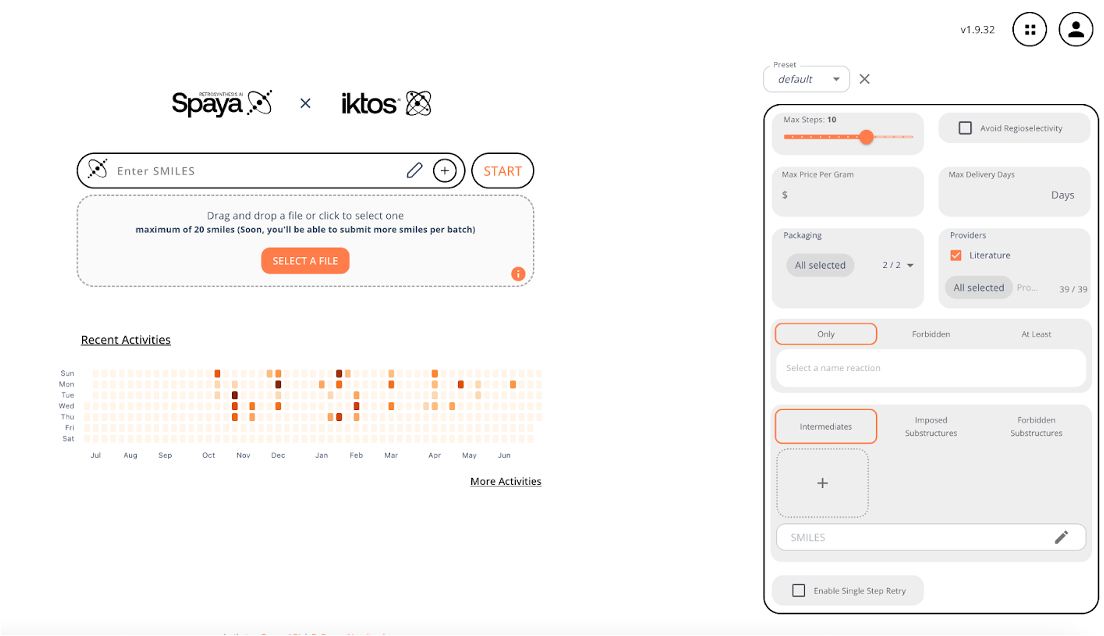
Spaya enables chemists to identify relevant synthetic strategies using advanced search parameters such as starting material cost, delivery time, number of steps, use of advanced intermediates, and more!

Spaya1
What to expect from Spaya?

Rapid Retrosynthetic Analysis

Interact with retrosynthetic routes in real time with the fastest solution on the market.

Easily Prioritize Synthetic Strategies

Quickly analyze results and organize targets based on RScore.

Reliable Commercial Vendors

Quickly order starting material as all routes end in commercially available starting material by design

How to generate retrosynthesis routes with Spaya

Screenshot 2025-06-17 at 17.09.03

Advanced search parameters

Learn how to customize a route to meet your project needs

Watch now - 1 min
Screenshot 2025-06-17 at 17.10.30

Define default search parameters

Learn how to update settings with reaction types and commercially available building blocks

Watch now 1:30 min
Screenshot 2025-06-02 at 18.45.54

Analyzing reaction tree results

Learn how to navigate Spaya's reaction trees effectively

Watch now - 1 min
Screenshot 2025-06-17 at 17.10.53

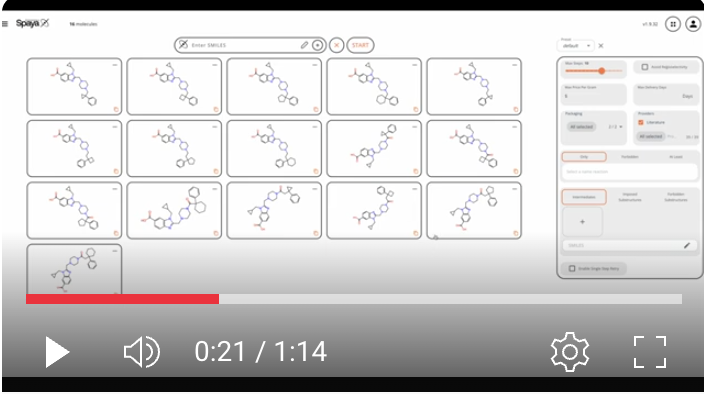
Batch Retrosynthesis - set-up

Lear how to obtain routes for multiple compounds at the same time

Watch now - 1 min
Screenshot 2025-06-17 at 17.11.06

Batch Retrosynthesis - analyzing results

Learn how to navigate results for batch searches

Watch now - 1 min
Tips & Links for Retrosynthetic Analysis with Spaya
What is the RScore?

The RScore, or Retrosynthetic Score, is a composite score that ranks proposed synthetic routes by assessing each step’s likelihood based on context, penalizing longer sequences, and favoring similarity to literature precedents, route convergence, and model confidence—with scores ranging from 0 to 1, where 1 indicates an exact literature match. Generally, we recommend a threshold of >= 0.5.

How does Spaya handle chirality?

Spaya uses a chiral pool approach to retain stereocenters from commercially available starting material. If Spaya cannot identify a chiral route, it is recommended to remove chirality from the initial structure.

What should I do if Spaya cannot identify a route?

If Spaya cannot identify a route, it is recommended to iteratively relax system constraints. In default mode, the number of steps is set to 10. First, adjust the number of steps to 15, then remove advanced parameters and/or chirality, before reinitiating retrosynthesis.

What should I do if I cannot access reference information?

Occasionally, due to the difficulty in extracting patent information, Spaya may not provide precise conditions. It is recommended to review the patent in detail outside of Spaya, using the patent number provided.

Retrosynthetic Analysis vs. Substructure Searching

Substructure searching identifies molecules containing a specific chemical fragment within a database, while retrosynthetic analysis breaks down a target molecule into simpler starting materials to plan a synthetic route.

Check out our publications!
  1. Integrating synthetic accessibility with AI-based generative drug design, Journal of Cheminformatics volume 15, Article number: 83 (2023).

  2. Predicting the Price of Molecules Using Their Predicted Synthetic Pathways, Molecular Informatics, Volume44, February 2025.

Matt

Matt, USA

Matt is our Spaya expert. He has a background in Organic Chemistry and Medicinal Chemistry and is ready to help you solve any roadblocks. 
Screenshot 2025-07-14 at 13.32.31

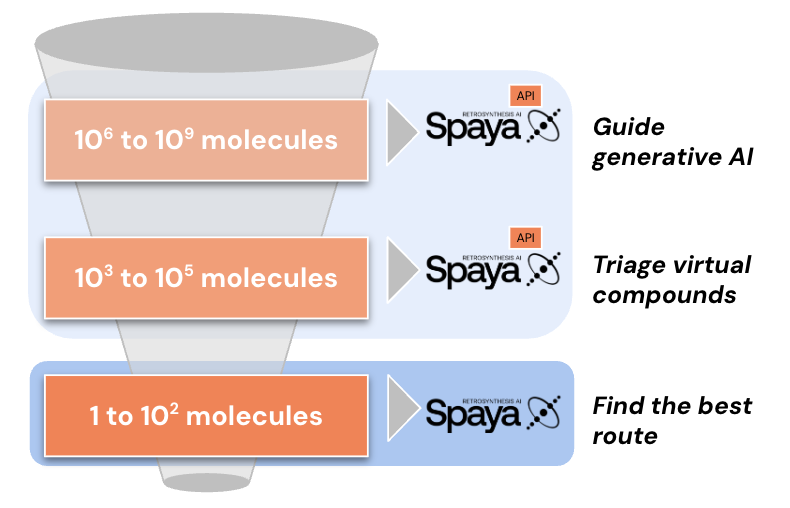
Ready to scale? Learn more about Spaya API.

  • Full retrosynthetic analysis (not heuristics!)
  • Triage ultra-large libraries
  • Integrate into your internal workflows
  • Apply the same advanced search parameters as the GUI

FAQ

Can Spaya be customized based upon chemistry relevant to me?

Yes! Spaya is data-driven and readily customizable. Reach out to our support team at support@spaya.ai to learn more about how to retrain Spaya on your ELNs, additional reaction data sources, or to add proprietary building blocks and vendors.

How do I integrate Spaya's Retrosynthesis Score into my current workflow?

Spaya has a programatic interface known as Spaya API that can be integrated into your internal workflows using platforms like Knime, Pipeline Pilot, Jupyter Notebook, and more. Available on AWS with autoscaling or on your VPC. All advanced search parameters available within the GUI are also applicable via the API. Reach out at support@spaya.ai to learn more!

How does Spaya GUI differ from Spaya API?

The two key differences between the Spaya GUI and API are interface and scalability. All advanced search parameters available in the GUI can also be accessed programmatically through the API. However, the Spaya API supports scaling to thousands of retrosynthesis, whereas the GUI currently allows batching of up to twenty targets at a time.

How do I triage an ultra large library for synthetic accessibility?

It is possible to run a batch retrosynthesis on Spaya GUI. Note that this feature will only call up to 20 retrosyntheses at a time. In order to scale beyond this, you will need access to Spaya API. Spaya API is a programatic interface that rapidly returns full retrosynthetic analysis for up to hundreds of thousands of molecules.